
How to request the reprocessing of a statement or notice
If you have been issued an employment statement or notice and you have new information about the subject of the statement or notice, you can request your matter to be reprocessed in the Online Service.
You cannot request the reprocessing of periods of service statements, change security statements, job alternation leave statements, pay subsidy notices and statements on voluntary studies supported by unemployment benefit.
Please note that the request for reprocessing does not affect the period of appeal of the decision made by the unemployment benefit payer. You cannot appeal against an employment statement issued by the labour authority or the KEHA Centre, but you can appeal against a decision made by the unemployment benefit payer when you have applied for unemployment benefit from Kela or the unemployment fund. You will receive instructions on the appeal procedure in connection with the decision made by the payer.
Preparing a reprocessing request
You can request reprocessing of a statement or notice concerning which you are able to submit new information that the labour authority or the KEHA Centre did not have when the statement was issued.
You can find the employment statements and notices issued to you in the 'Tehtävät ja tapahtumat / Tasks and events' tab of Job Market Finland.
When you have opened an employment statement or notice for which you want to request reprocessing, you will find the 'Uudelleenkäsittelyn pyytäminen / Requesting reprocessing' drop-down menu at the bottom of the statement.
If the statement or notice does not have a reprocessing drop-down menu and button, it is a statement or notice for which you cannot request reprocessing. If the statement or notice has been invalidated, you cannot request its reprocessing.
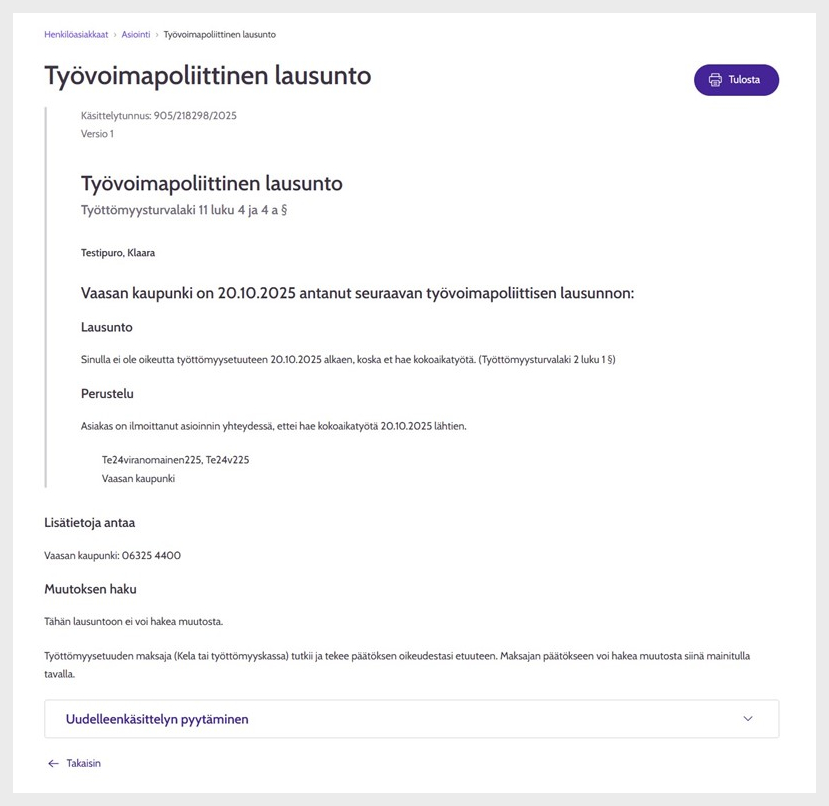
Figure 1: Employment statement and request for reprocessing. Please note that the information shown in the figure is a test customer’s information.
When you select the arrow on the right-hand side of the 'Uudelleenkäsittelyn pyytämienn / Request reprocessing' box, instructions for requesting reprocessing open and you will find the 'Pyydä uudelleenkäsittelyä / Request reprocessing' button under it.
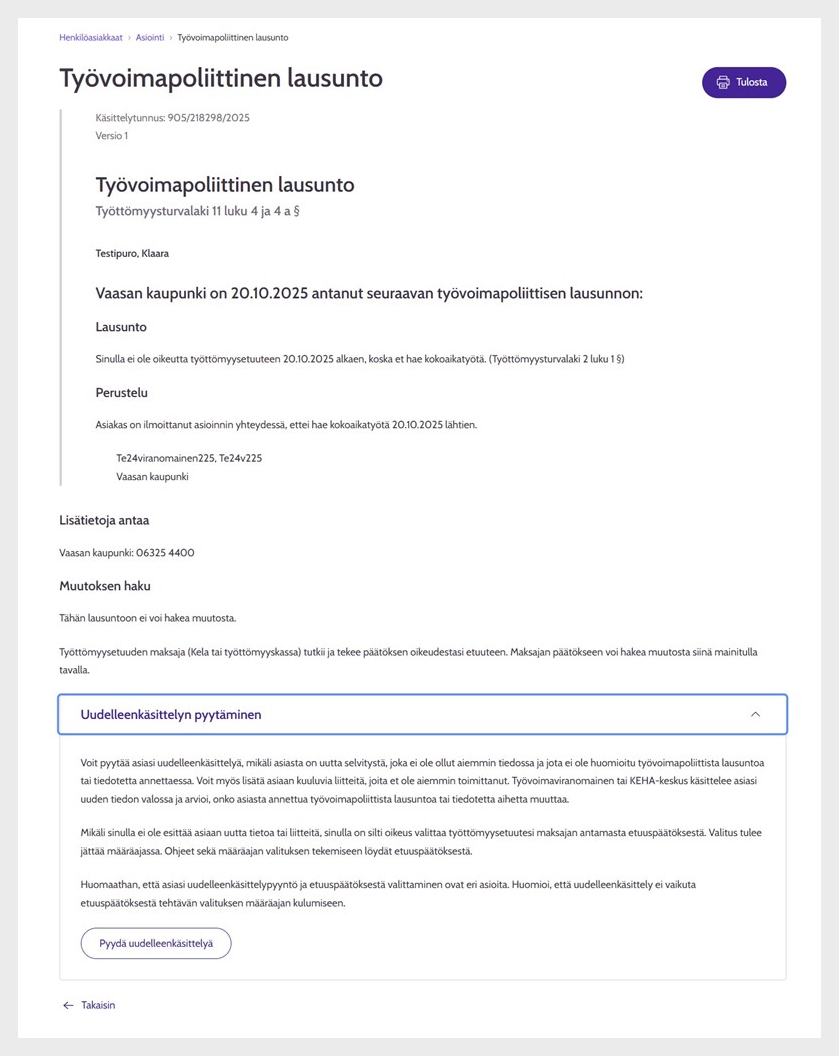
Figure 2: Requesting reprocessing with the statement view open. Please note that the information shown in the figure is a test customer’s information.
When you select 'Pyydä uudelleenkäsittelyä / Request reprocessing', the request for reprocessing view opens.
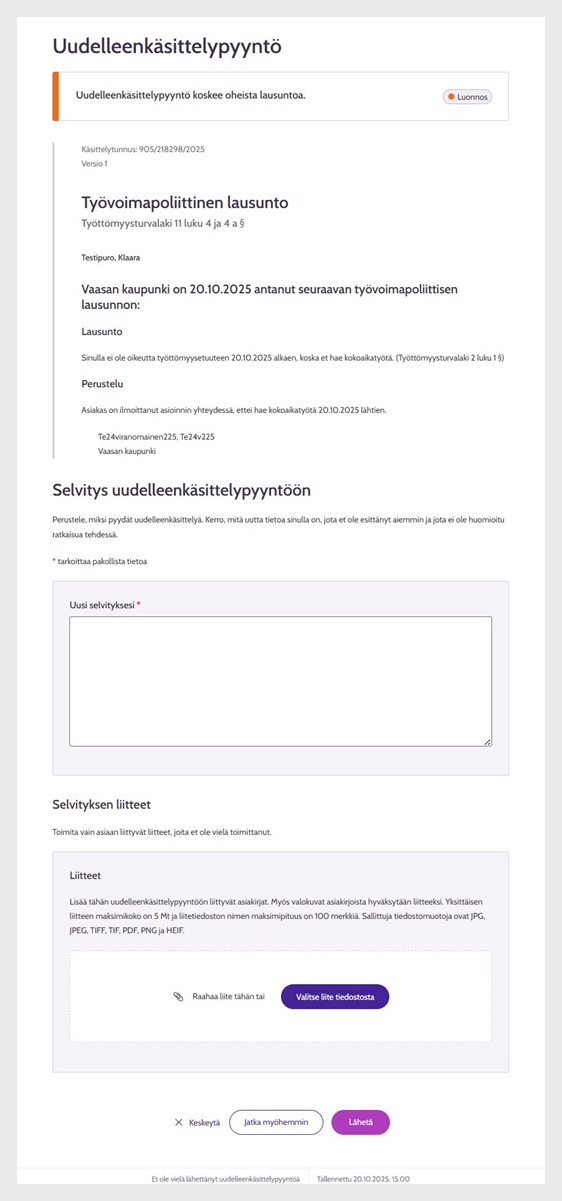
Figure 3: Request for reprocessing screen. Please note that the information shown in the figure is a test customer’s information.
In the request for reprocessing screen, you can see the details of the statement or notice for which you are requesting reprocessing. In the 'Uusi selvityksesi / Your new account' field, you must provide an explanation of why you are requesting reprocessing and what new information you have that was not available at the time the statement was resolved. You can also add your account as attachments. Only submit attachments that are related to the new information and that you have not submitted before.
Submitting the reprocessing request
Once you have provided your account for the reprocessing request and added any attachments, you can submit the reprocessing request for processing by clicking the 'Lähetä / Send' button.
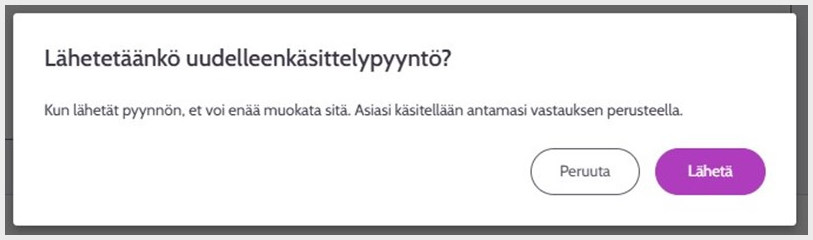
Figure 4: Reprocessing request submission confirmation screen.
Once you have submitted the reprocessing request, you will receive an acknowledgement of receipt.
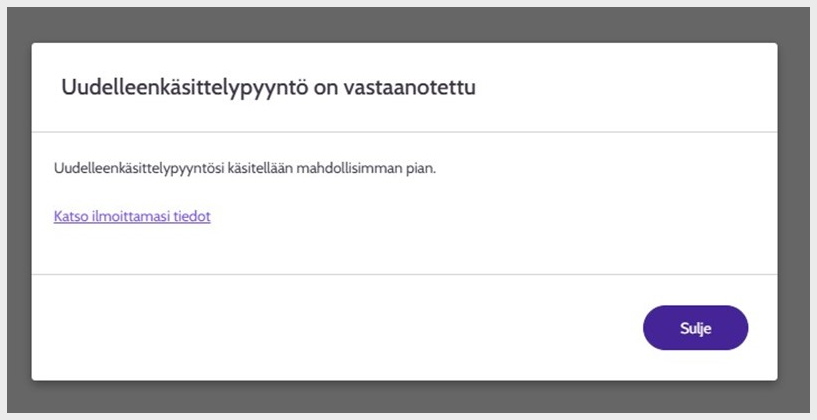
Figure 5: Acknowledgement of receipt of the reprocessing request
Continuing the reprocessing request later
If you are not yet ready to submit the reprocessing request for processing, you can select 'Jatka myöhemmin / Continue later'. The 'Jatka myöhemmin / Continue later' option saves the information you have entered and the attachments you have added. You can find your unfinished reprocessing request in the 'Tehtävät ja tapahtumat / Tasks and events' tab of the Job Market Finland Online Service section, where you can either continue preparing the reprocessing request or cancel the reprocessing request. Please note that your reprocessing request will not be processed unless you submit it.
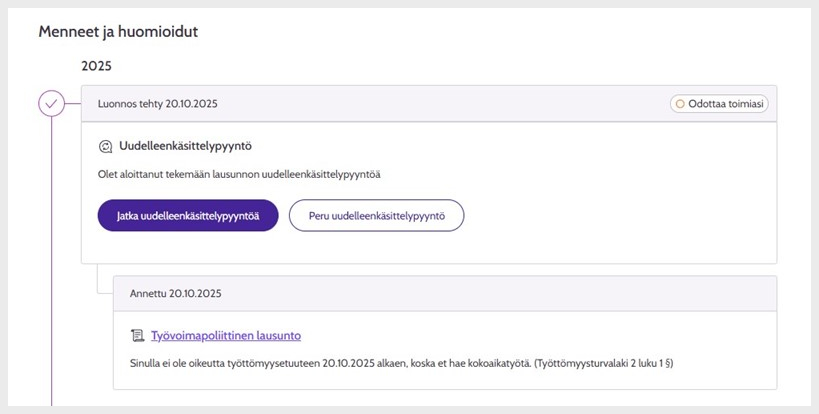
Figure 6: Unfinished reprocessing request in the 'Tehtävät ja tapahtumat / Tasks and events' tab of the Job Market Finland Online Service section.
Aborting the reprocessing request
If you want to abort the reprocessing request, click 'Keskeytä / Abort'. Please note that this will delete all the information you have entered and attached.
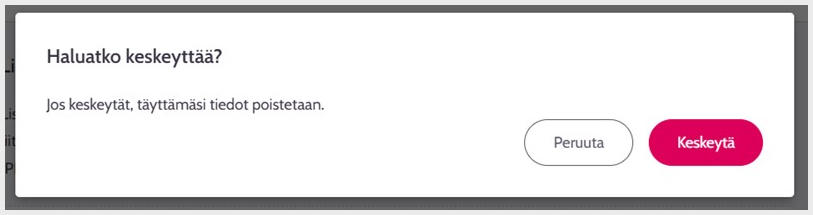
Figure 7: Reprocessing request abortion confirmation screen.
Processing and resolution of the reprocessing request
Your reprocessing request will be forwarded to the designated specialist or the KEHA Centre in the area of responsibility for unemployment security.
Once your reprocessing request has been processed, you will see the reprocessing decision under the 'Tehtävät ja tapahtumat / Tasks and events' tab in the Online Service section of Job Market Finland.
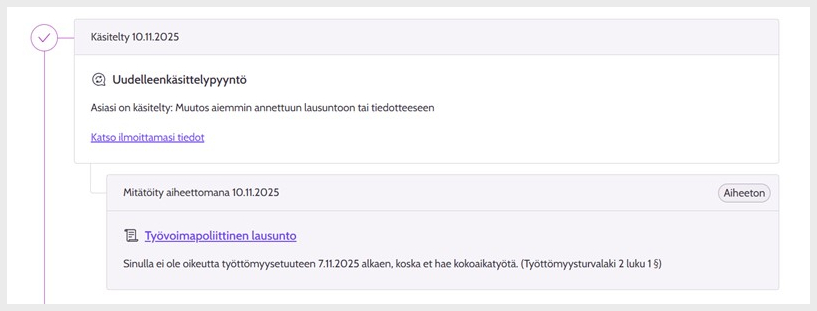
Figure 8: Processed reprocessing request and employment statement that has been invalidated in the reprocessing.
There are four possible reprocessing resolutions.
- The conditions for reprocessing are not met.
- The previously issued statement or notice remains in force.
- The previously issued statement or notice is amended.
- Reprocessing requires further clarification.
In addition to the reprocessing resolution, you can see the justification for the resolution by selecting 'Katso ilmoittamasi tiedot / View the information you have provided'.
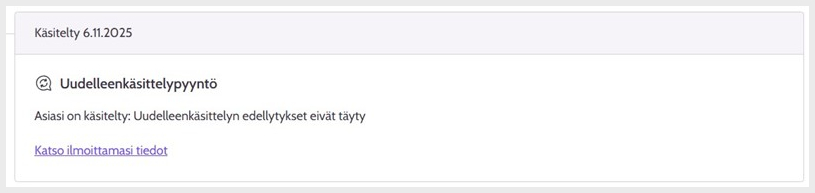
Figure 9: Processed reprocessing request showing the reprocessing resolution with a link below that takes you to the reprocessing request details and the justification of the resolution.
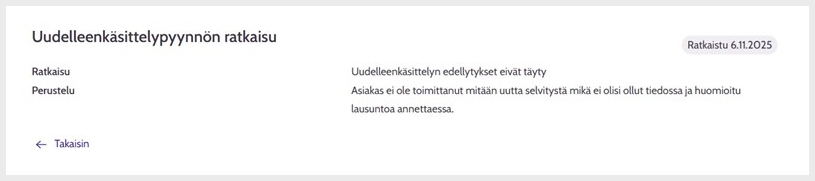
Figure 10: Resolution of the reprocessing request and justification of the resolution.
If you have activated the Suomi.fi message service, you will receive a Suomi.fi message about the reprocessing resolution.
Once the reprocessing of the statement has been completed and the statement has not been invalidated, you may request a new reprocessing if you are able to provide new information that was not available at the resolution stage of the previous reprocessing.
Reprocessing request as an office service
If you do not have the opportunity to submit a request for reprocessing in Job Market Finland Online Service, you can contact the employment services office in your area and request reprocessing.
Updated: