
How to view the selection decisions for labour market training
View your labour market training selection decisions.
- Log in to Job Market Finland and go to the E-services section.
- The new employment training selection decision is visible on both the front page and in the Huomioitavaa (Notes) section of the Tasks and events page.
- Click Lue valintapäätös (Read selection decision) to open the details of the selection decision.
- Once you have read the selection decision, it moves to the Menneet ja huomioidut (Past and noted) section.
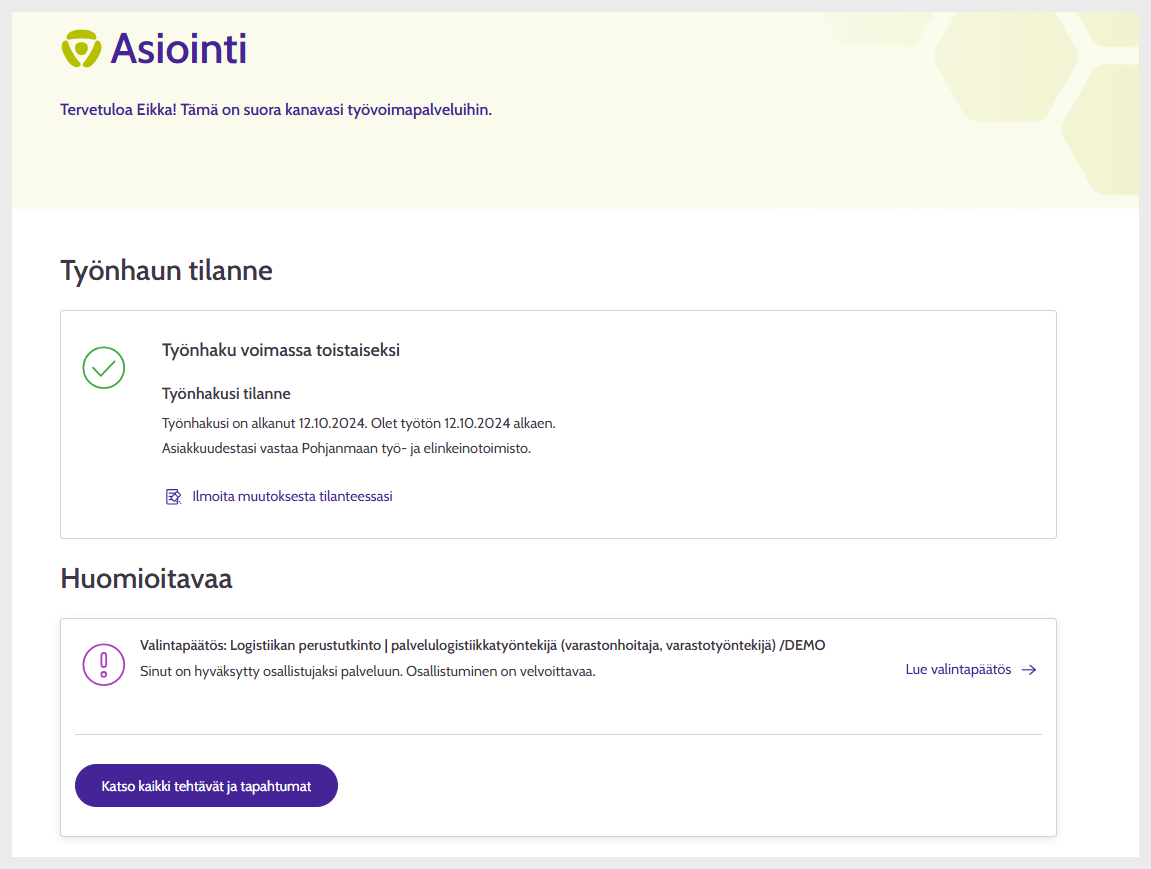
Picture: E-services front page.
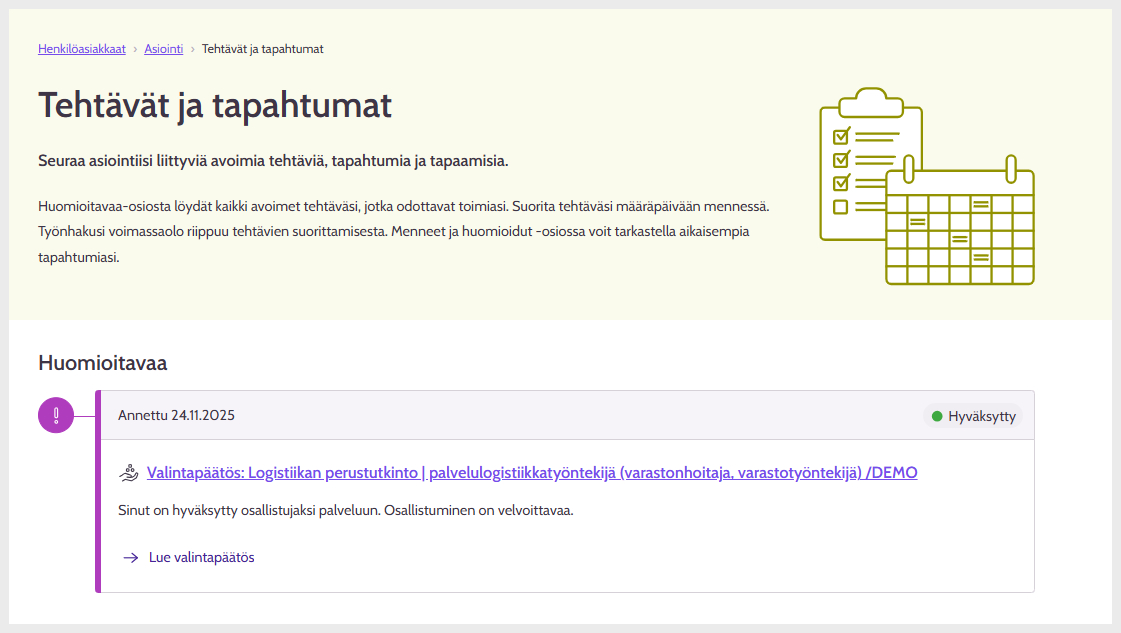
Picture: Tasks and events page.
If several selection decisions have been made for the same labour market training (e.g. selected first on the waiting list and then approved), the previous selection decisions are displayed under the most recent selection decision. The most recent selection decision is shown at the top.
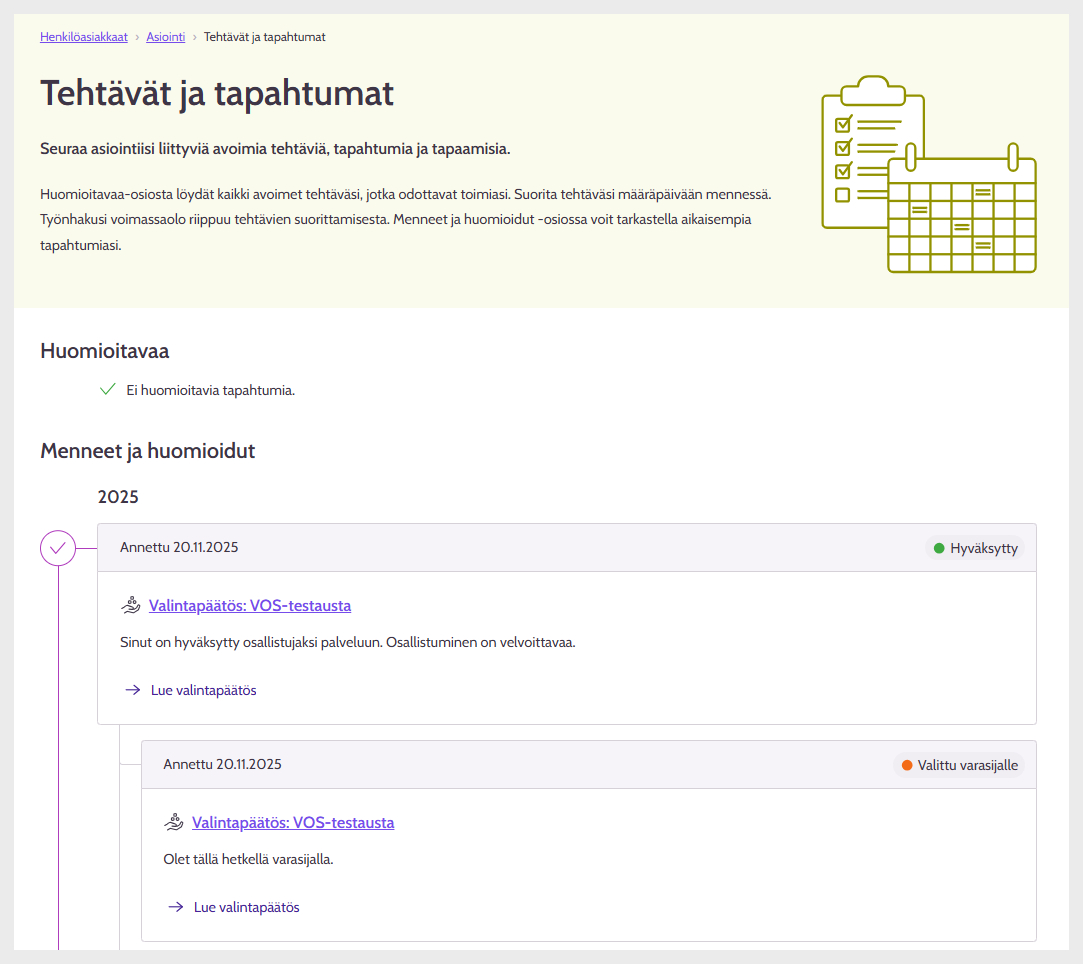
Picture: Several selection decisions for the same labour market training.
Updated: