
How to browse vacancies
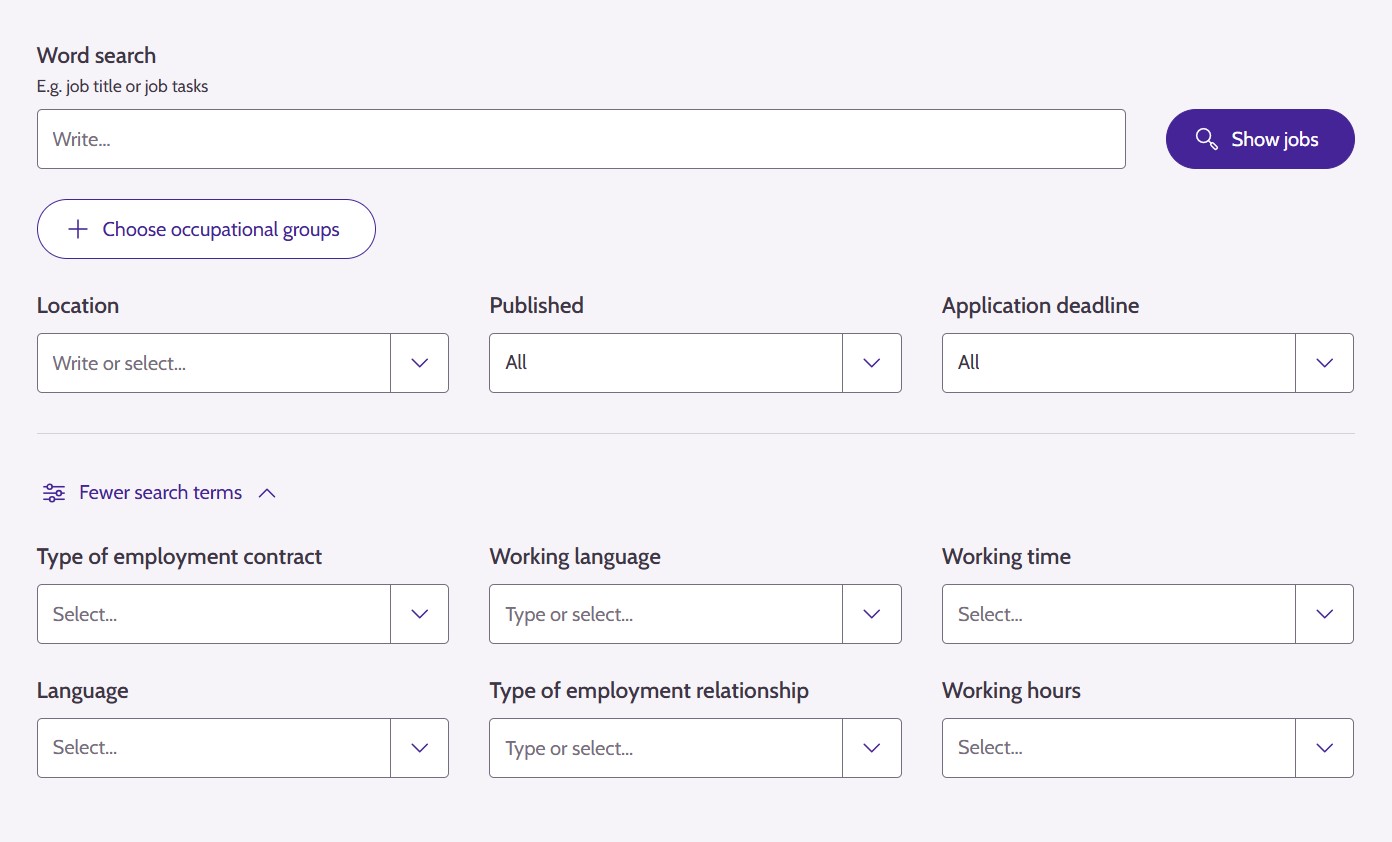
On the Vacancies page of Job Market Finland, you can search for jobs using word searches and various filters. The search engine supports multiple search operators that allow you to narrow down or expand your search.
On the Vacancies page of Job Market Finland, you can search for jobs in two ways:
- Using a word search to find keywords in posting titles and content
- using filters to limit search results by location, sector, type of job, and more.
You can use these two tools either individually or together – you can often find the best and most accurate results by using a combination of the two.
How does the word search work?
The search engine searches the job posting titles and contents for the words you enter in the search field. The search engine supports multiple search operators that allow you to narrow down or expand your search. By default, the search engine searches for postings that contain all the words you type.
All of the words you enter must appear in the search result.
When you type more than one word, the search engine searches for postings that contain all of the keywords you entered. You do not need to type AND the or + character.
Example:
Seeking experience
= same as
Seeking + experience
You can search for postings that contain either the first keyword or the second keyword you entered.
Use the vertical bar |.
Example:
Seeking | experience
Shows jobs that contain either of the words.
You can remove certain keywords from your search results by using the minus sign - directly in front of the word.
Example:
Seeking -experience
Shows jobs that do not include the word experience.
Using an asterisk * searches for words that start with the same word base.
Example:
Customer*
Shows customer service, customer work, customer satisfaction, etc.
Without an asterisk, the system only searches for the single word:
Customer → fewer hits.
A tilde ~ after the word allows for spelling errors:
- ~1 allows for a 1-character deviation
- ~2 allows for a 2-character deviation
Example:
Customer~1
Also finds words with a minor spelling error.
Filters
In addition to word searches, you can use various filters to narrow down the results.
When using filters, please note that some of the posters do not fill in all the information in their job postings, or some of the information is only found in the description text of the posting. For this reason, filters based on information such as working hours or employment contract type may exclude postings where the poster has not defined this information. If you want your view of the jobs to be as comprehensive as possible, you may want to check your search results from time to time without using specific filters, or try searching with and without filters.
Available filters:
- Occupational group
- Location
- Published
- Application deadline
- Type of employment contract
- Working language
- Working time
- Language
- Type of employment relationship
- Working hours
You can use filters with the word search.
You can:
- perform a word search first and then filter the results
- select the filters first and then add words to search for
- use both at the same time to get the most accurate search
Example:
- Location: Vantaa
- Occupational group: Transport and storage labourers
- Word search: storage*
You will only see postings that meet all of these conditions.

Tips for searching
- Try starting the search with one word and expand if necessary.
- Use the truncation symbol * to search for multiple wordings.
- If you get too many results, narrow your search by location or profession.
- If you are unsure of the spelling, you can use a fuzzy search (such as "customer~1").
- Postings that offer remote work are best found by searching for "remote work" or "remote work*"
- If you see too many search results, you can refine your search by using the NOT operator (the minus sign). For example, you can search for "communication -interpreter" so that the search results show jobs with the word "communication", but exclude postings looking for interpreters.
Updated: