
How to post a job as a household employer
Select Household Employer E-Services at the top right and then Job Postings under it.
On the Job Postings page, the open job postings and archived postings are displayed to you on their own tabs.

Image 1: Household Employer E-services and Job Postings page
To submit a new job posting, select ‘New job posting’. You can also create a new posting based on a posting that is currently open or archived. In this case, you must open the posting and click Copy at the bottom of the page.
At any time before submitting the posting, you can save the posting as a draft and resume editing it later. Any postings in draft status can be found on the Vacancies page.
Start filling in the job posting by selecting ‘New job posting’.
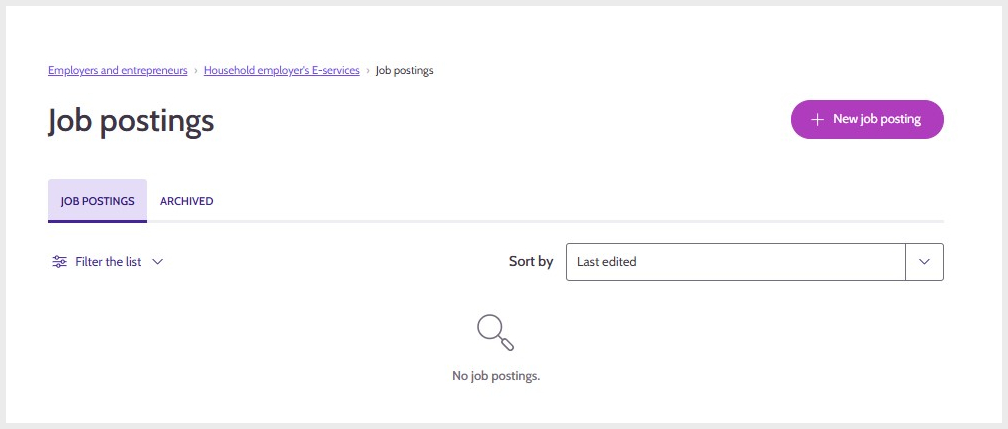
Image 2: Opening a new job posting
On the Start page, you can select the language of the job advertisement and the number of jobs.
The Contact Information page displays the name details of the household employer and contact person details for the job. This information is obtained when you log in, and you cannot change the employer’s name details. You can change the contact person’s details if you wish.
You can select whether the employer’s name is displayed in the posting. If you select Yes, the name will be displayed in the Vacancies service for personal customers.
The contact details are always visible to the employment authority. You can hide the information from job seekers, but make sure that the posting has a contact person.
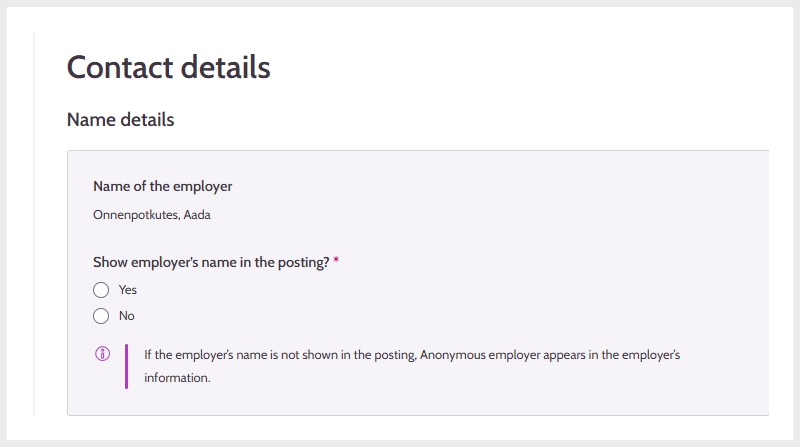
Image 3: Name details
The Working Area and the exact location of the Working Place are also obtained in connection with the login. You can also give a different address if you wish.

Image 4: Job location visible in the posting
On the Description and Competence page, you can write a description of the job, select keywords and the primary occupation used in statistics. Describe the type of position in detail.Based on the description you have written, Job Market Finland suggests different occupations and skills. Select suitable occupations and skills. You can select one or several of each. If the suggestions contain no suitable keywords, you can use a free word search to look for occupations and skills.
The job title serves as the title of the posting. In the description field, you can provide more details about the job.
Keywords help job seekers find suitable job postings in the Vacancies service.
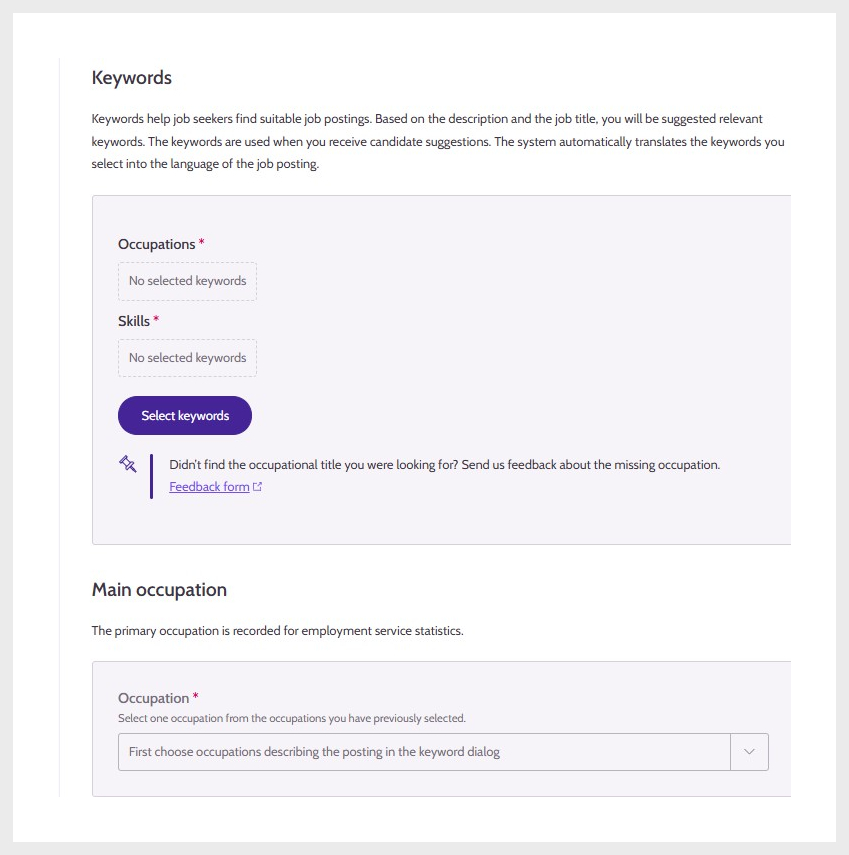
Image 5: Keywords and Primary occupation
The Detailed Information page allows you to provide other information related to the position. This information is used, for example, in job search and browsing filters, so it is a good idea to select the information that describes the job as accurately as possible.
The Application Instructions page describes how to apply for the job and selects the application period.
On the Summary and Publication page, you can check the details of the job posting.
If any mandatory information is missing from the posting, it is marked in red.

Image 6: Summary
When you are publishing the posting, you will be asked to confirm that the details are correct. If you want to return to review or edit the posting, click Cancel. If the posting is ready to be published, select Publish.
Updated: