
How to find suitable job applicant profiles
You can search for suitable job applicants for your company among published job applicant profiles.
A job applicant profile presents the job applicant's skills, work experience, education, job preferences and interests. Only users who have identified themselves at Job Market Finland can publish a profile.
You can use the profiles to find suitable employees.
You can search for profiles using keywords or browse suggested job applicant profiles that match a published job posting.
Search for employees using keywords
You can use the keyword search to find suitable candidates even if your company does not have a published job posting.
- Open the Find employees function in Business E-services.
- Enter a keyword, such as an occupation or skill.
- Narrow your search by location. You can select a municipality, region or the whole of Finland. A more precise geographical search helps you target applicants who have selected the area as their job search area.
- Select Show employees and browse the profiles that match your search.
You can narrow your search further based on criteria such as driving licences or qualifications. Please note that additional filters may reduce the number of search results.
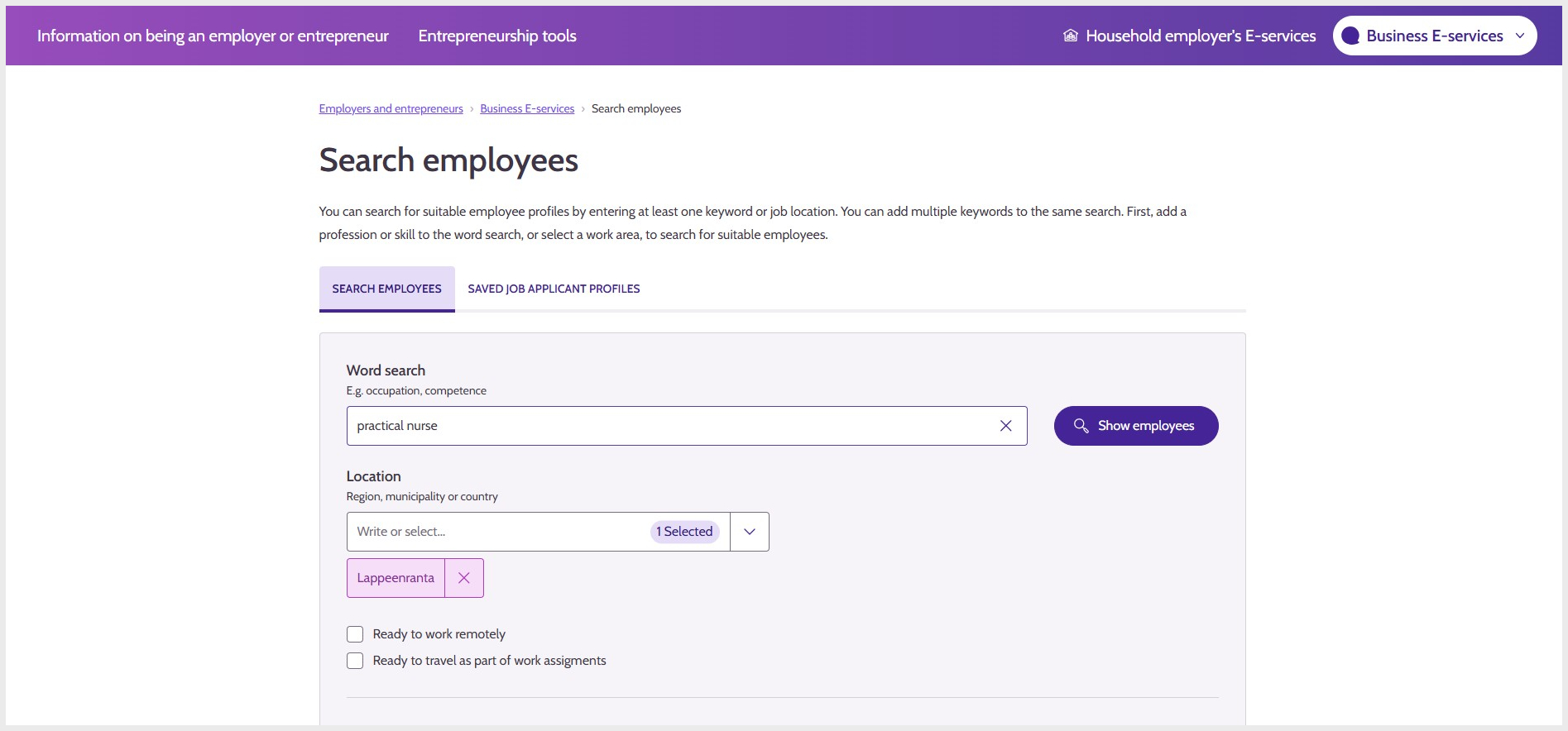
Image 1: Search for suitable profiles without a published job posting.
Browse profiles that match a job posting
When your company has a published job posting, the service suggests suitable job applicant profiles for it.
- Open a published job posting under Job postings in Business E-services.
- Select the Suitable job applicant profiles tab.
- By default, the search is filtered based on the most precise location information in the job posting. You can change the filter if necessary.
- Browse the suggested job applicant profiles.
- Open a profile to view more detailed information.
The service compares the information in the job posting and job applicant profiles: the introduction text, skills, job preferences and location. Always review the information in the profile and assess the applicant's suitability for the position yourself.
Image 2: The Suitable job applicant profiles tab in a job posting.
View a profile and get in touch
You can save an interesting profile to your favourites, print the information and contact the job applicant through the profile.
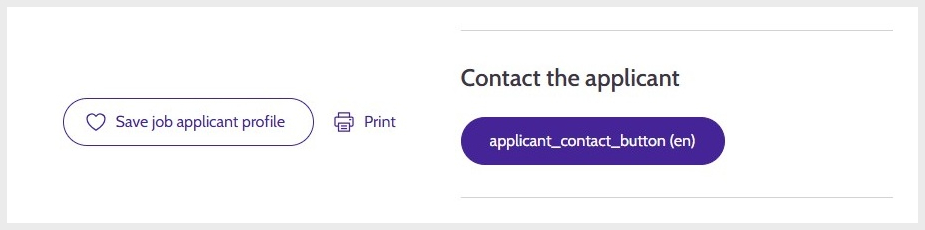
Image 3: Functions available in an open job applicant profile.
When you find a suitable job applicant profile, select Contact.
- Write a personal message to the job applicant explaining why your company is interested in them.
- Provide the details of a contact person whom the job applicant can contact.
- Under contact details, select Phone number, Email or both.
- Review the information and select Send. The message will be sent by email or as a Suomi.fi message.
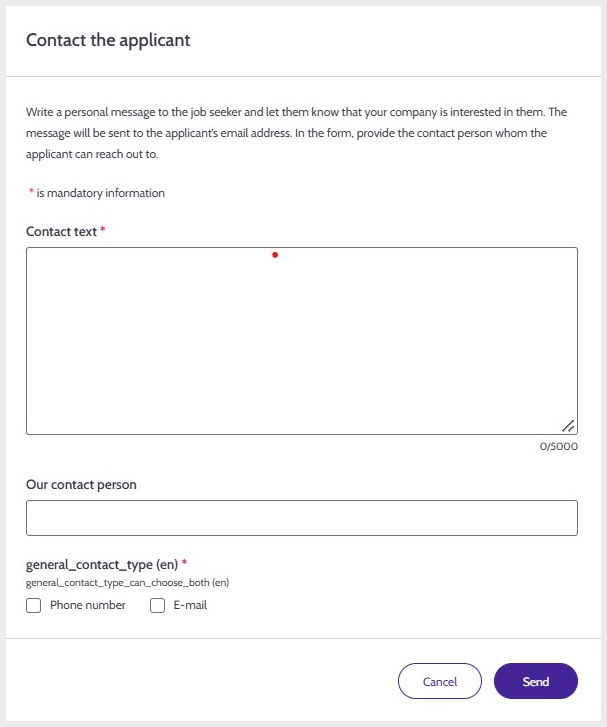
Image 4: Contact the job applicant.
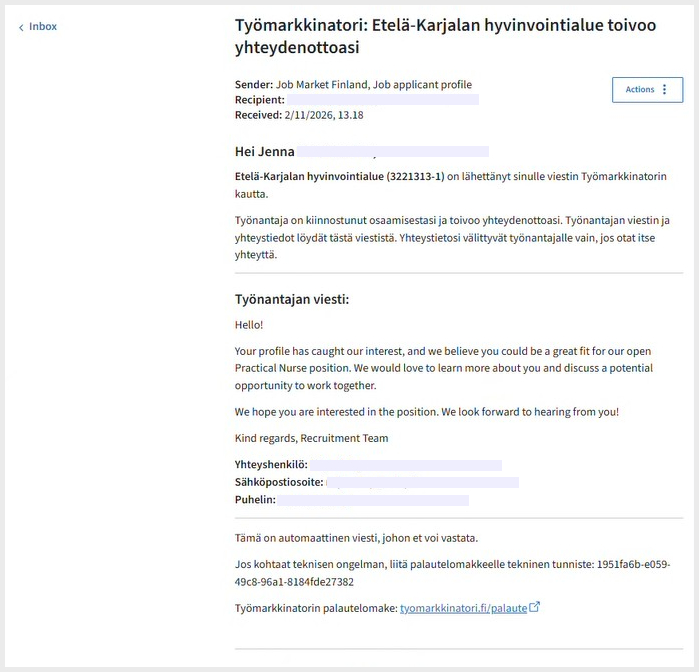
Example of a contact message sent via Suomi.fi Messages
Updated: