Work in Finland International Recruitment Advice Service for Employers
The International Recruitment Advice Service for Employers helps employers with questions related to the recruitment of foreign employees.
Read more
When you publish your job posting in English, the number of potential applicants increases. These instructions will help you attract skilled employees to your job vacancies.
Log in and publish a job postingIf proficiency in a language other than Finnish or Swedish is sufficient for the open position, you should create the job posting in English. It is recommended to select English as both the language of the job posting and the working language. When you create the job posting in English, you will get the best possible visibility for the position both among international job seekers already living in Finland and talents living abroad. Job postings in which the language of the posting and the work language are English will also appear on the Work in Finland Find a job in Finland page.
In general, the recommendations for job postings in Finnish also apply to English language job postings for international employees. In the job posting, it is advisable to give detailed information about the content of the position, the competence required for the position and what you offer to an employee as an employer. When attracting talent from abroad to Finland, you should also talk slightly more about the organisation and give a general description of the area where the workplace is located. You can use various marketing materials that present Finland when creating a job posting. They are publicly available on the Finland Toolbox website.
Job postings can be imported to Job Market Finland using an application programming interface (API). The interface allows you to create and manage your own job postings at Job Market Finland.
Log in to Job Market Finland in the same way as you would log in as a private customer. Logging in is done using strong authentication with online banking credentials or a mobile certificate.
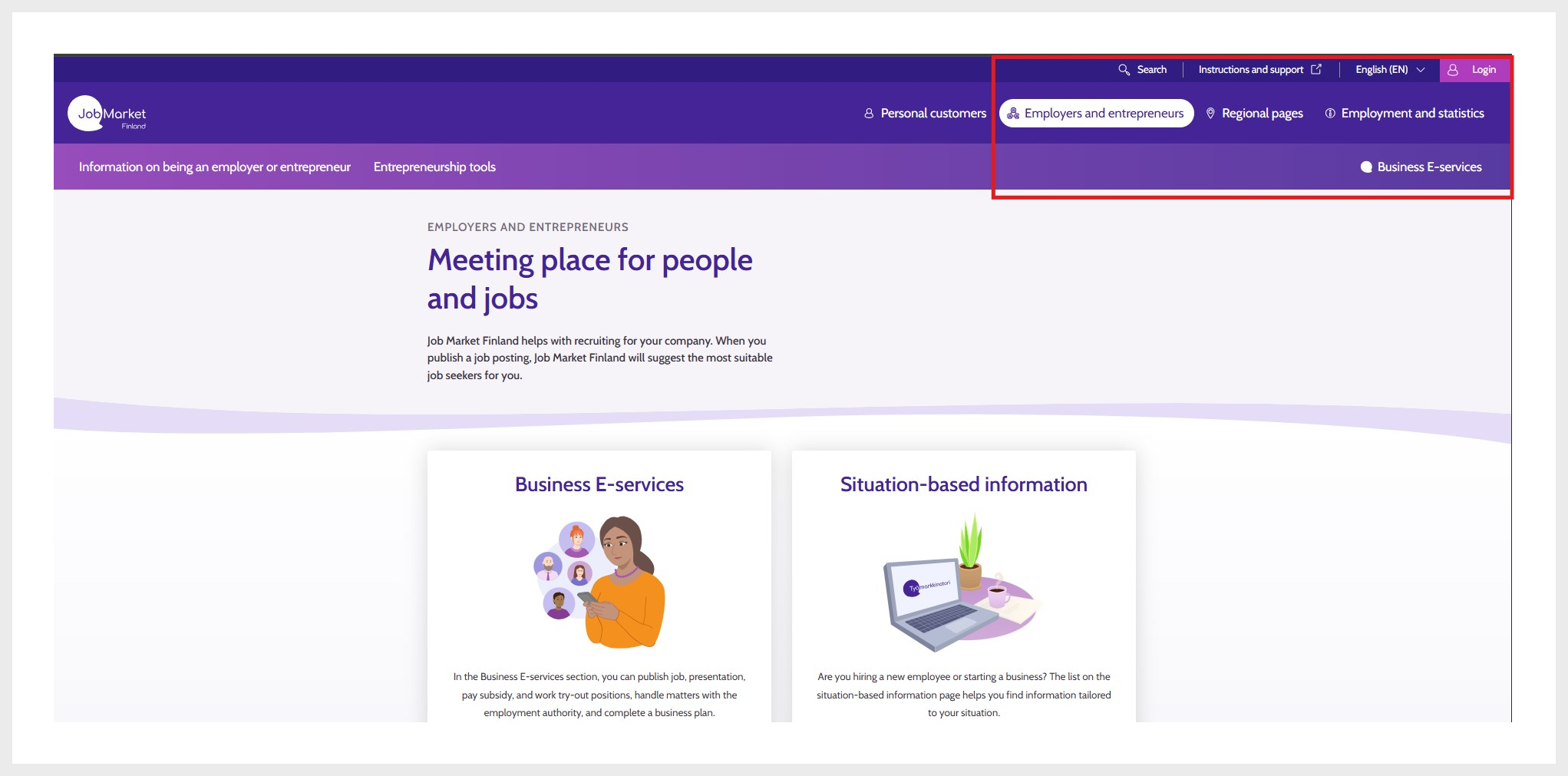
1. Log in
When you want to create a job posting, you must select the company role when using the service. If the company you want is not visible in the role selection list, check whether you have the necessary authorisations to represent the company. More information about authorisations can be found on the page Login to Job Market Finland and authorisations.
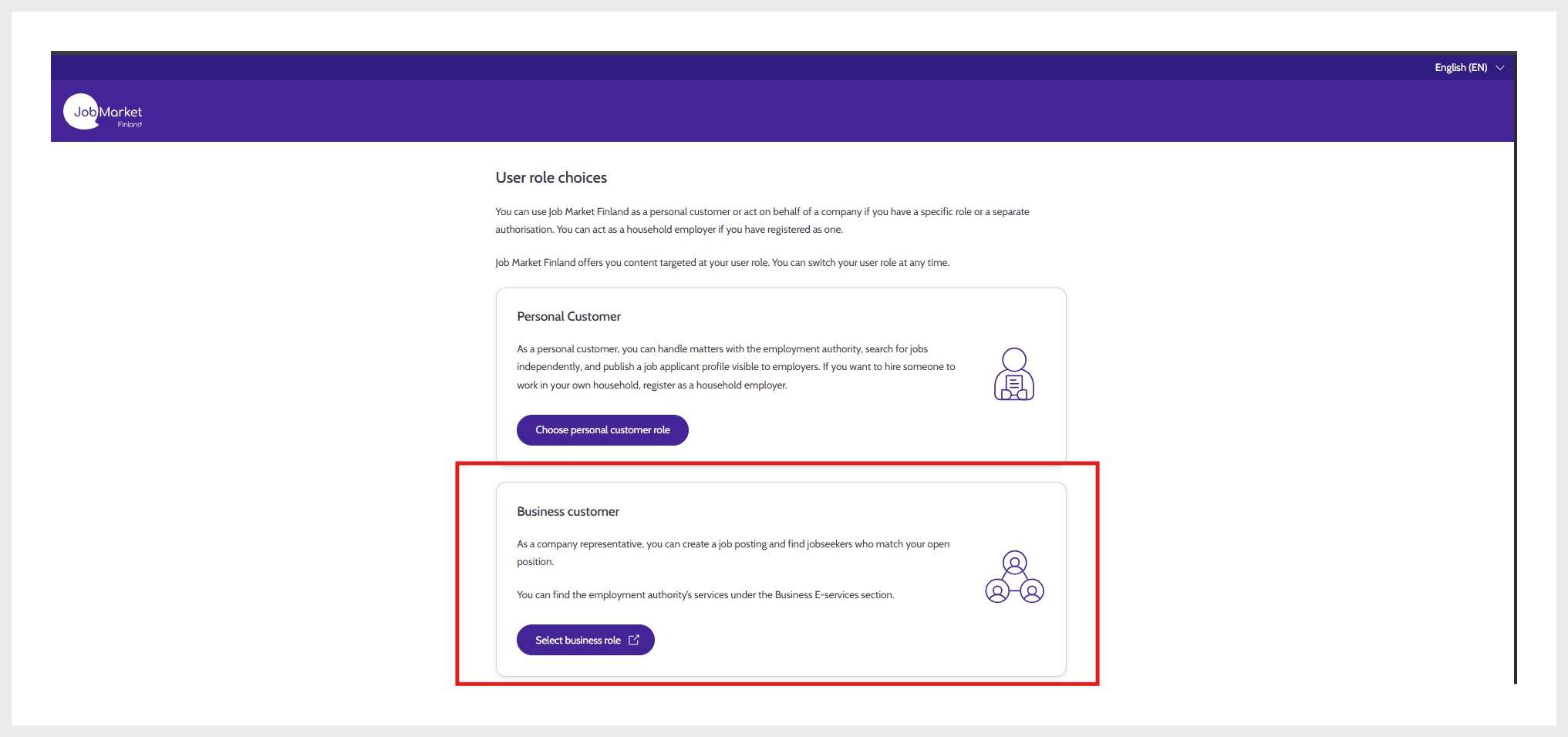
2. Select company role
After selecting the correct role, you can choose Company services in the top right corner and then Job postings.
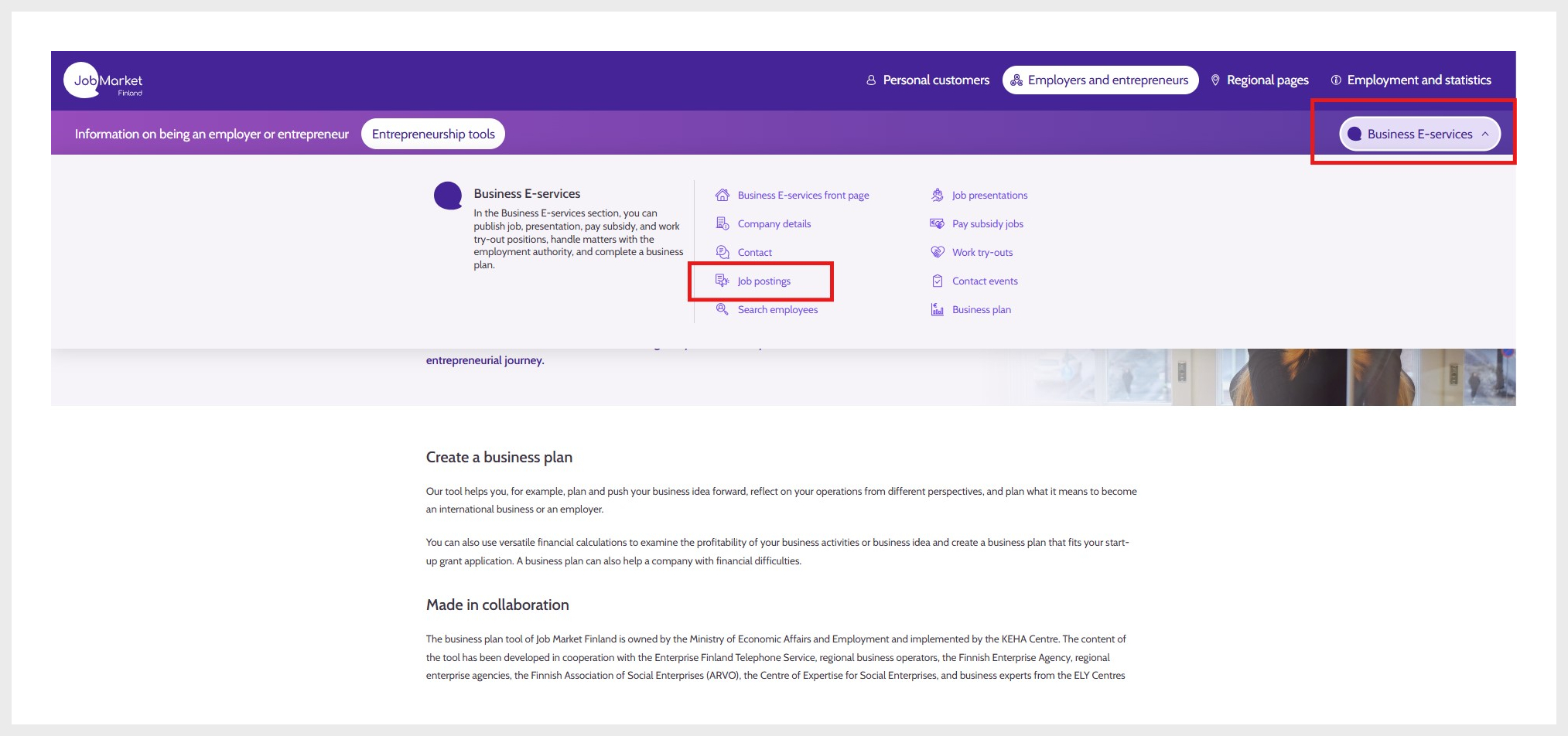
3. Navigate to creating a job posting via Company services
Start filling in the job posting by selecting New job posting.
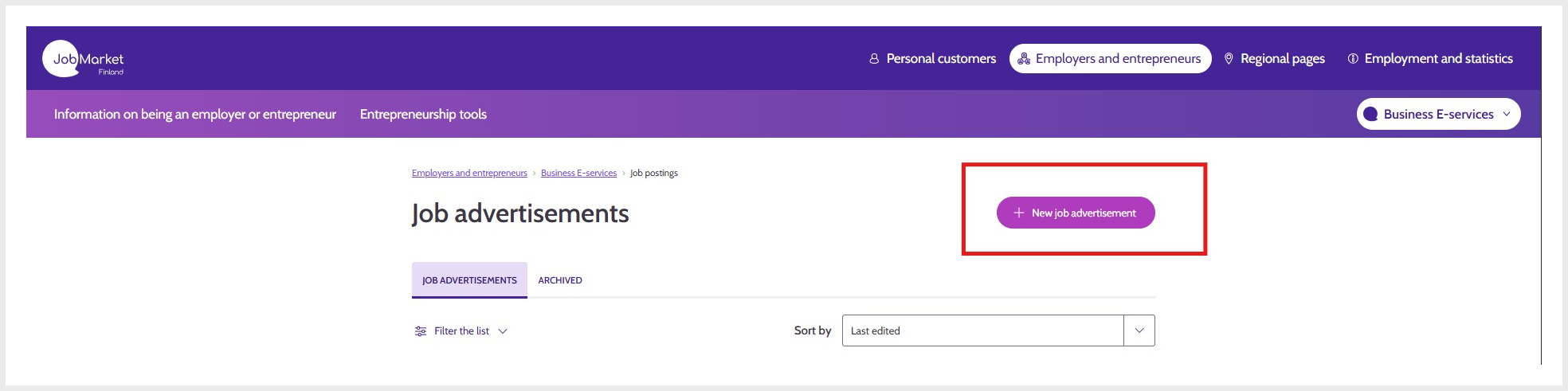
4. By selecting New job posting, you can fill in the job posting form
On the Start tab, select the language of the job posting, working language, number of positions, and the type of posting you are creating (employment relationship, public service position, temporary agency work, recruitment assignment, or entrepreneur opportunity).
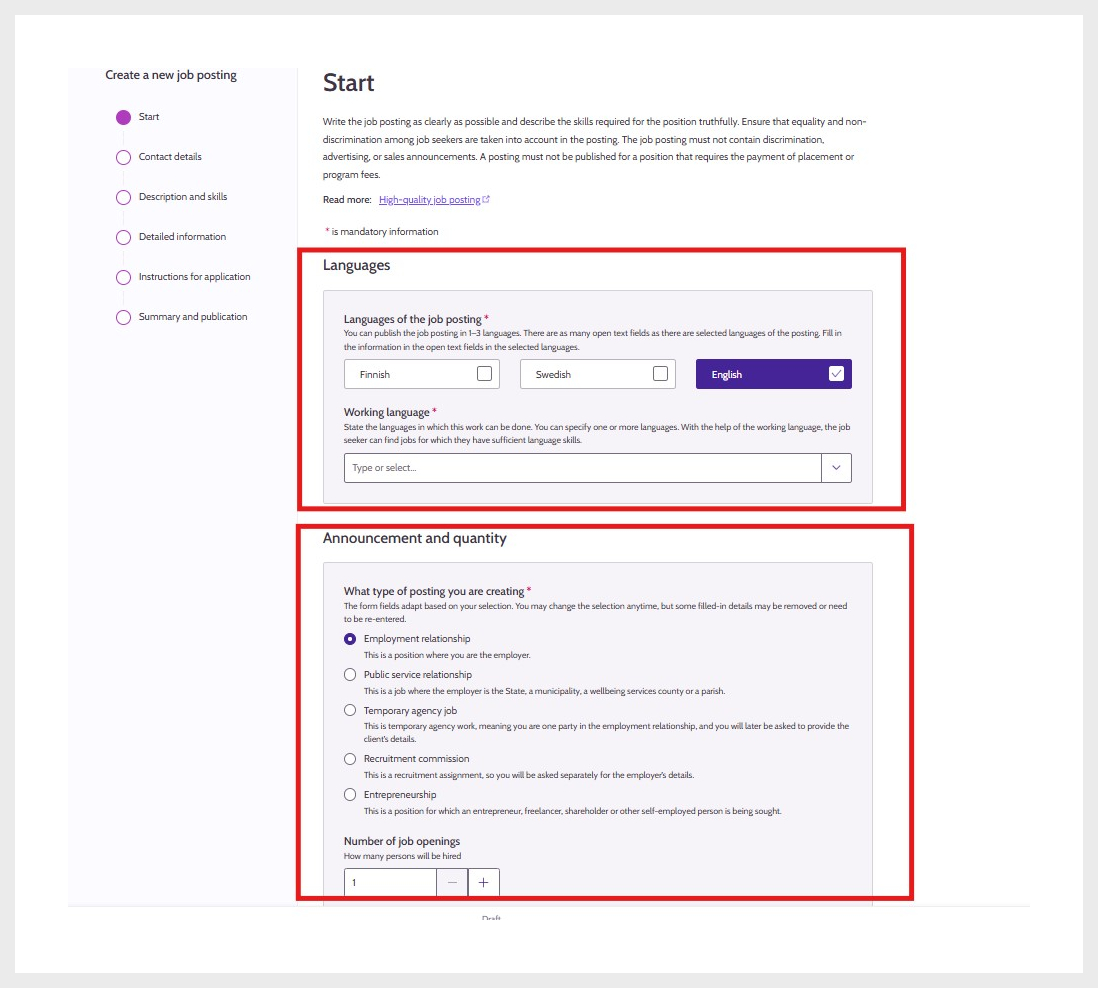
5. Start tab
On the Contact details tab, select the company name and place of business, contact persons and contact method, as well as the working area and workplace.
When posting a temporary agency job, you must always specify the client. You can choose to hide this information from job seekers, but it will always be visible to the labour authority.
When posting a recruitment assignment, you must always specify the final employer. You can choose to hide this information from job seekers, but it will always be visible to the labour authority.
Contact details are always visible to the labour authority. You can hide them from job seekers, but make sure that the posting includes at least one contact person.
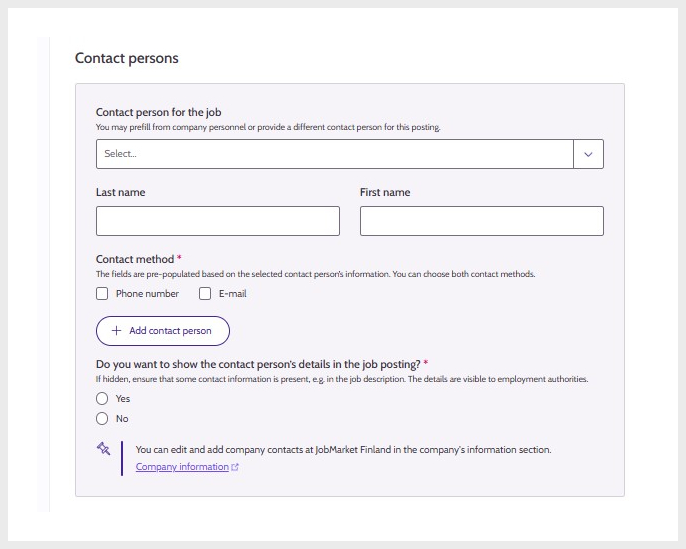
6. Selection of contact person and contact method
At least one municipality must be selected as the job location, even if the work is fully remote. You can also provide the exact location of the workplace, but this is not mandatory.
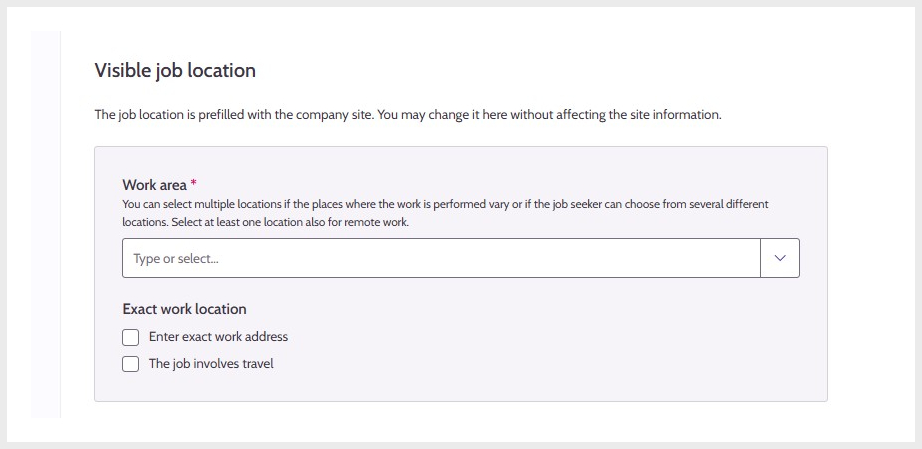
7. Location
On the Description and competence tab, you write a description of the job, select keywords, and choose the main occupation used for statistics. Describe carefully what kind of job the position involves.
The job title serves as the heading of the posting. In the description field, you can provide more detailed information about the job.
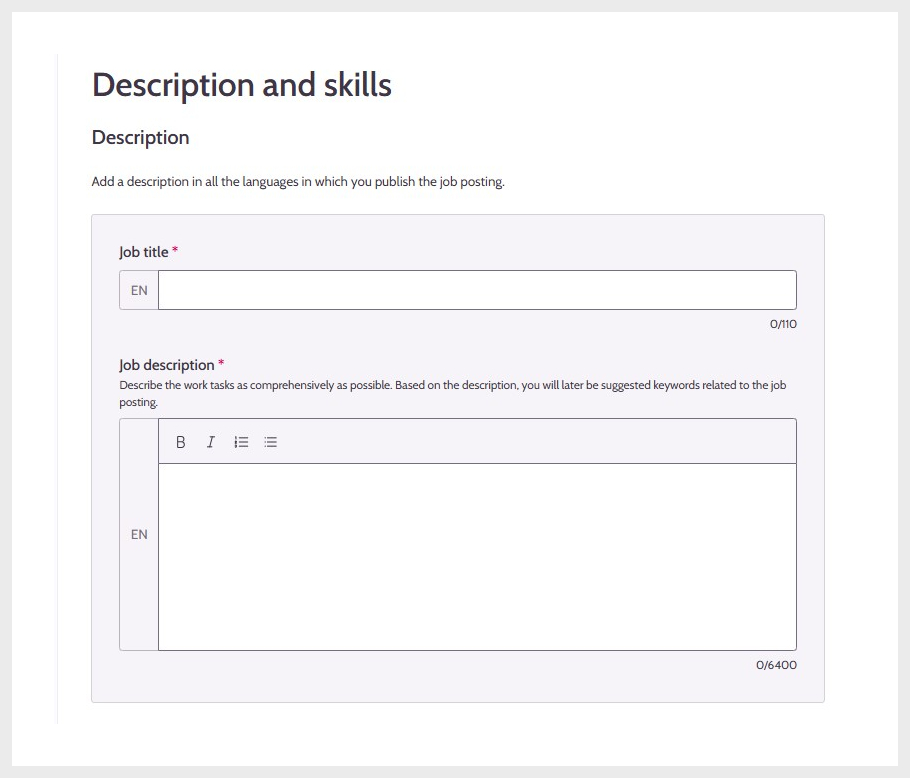
8. Job title and job description
Keywords help job seekers find suitable job postings. Based on the description and the job title, keywords are suggested to you. Keywords are also used when suggestions for candidates are provided.
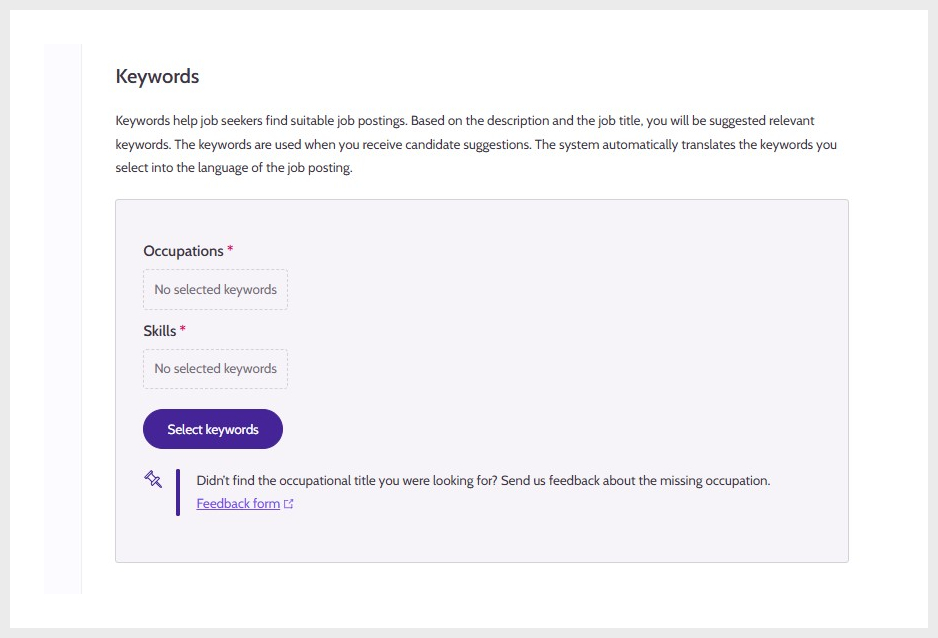
9. Keywords
The main occupation is stored for employment statistics; the information is not visible to job seekers.
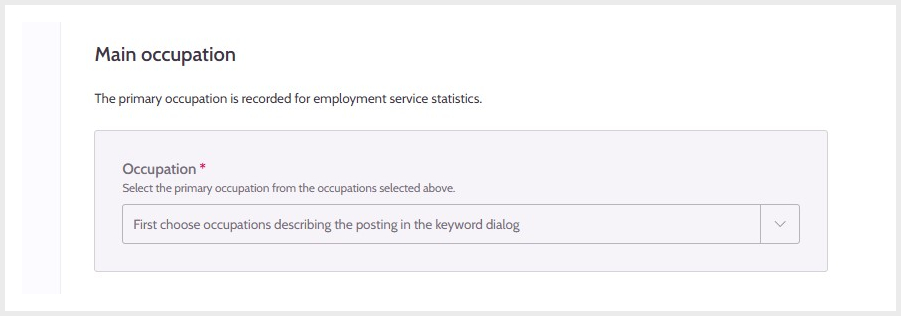
10. Select one main occupation
On the Detailed information tab, you can describe additional information related to the job. The information is used, for example, in job search and browsing filters, so it should be selected to describe the job as accurately as possible.
Provide information about the continuity of the work and working hours.
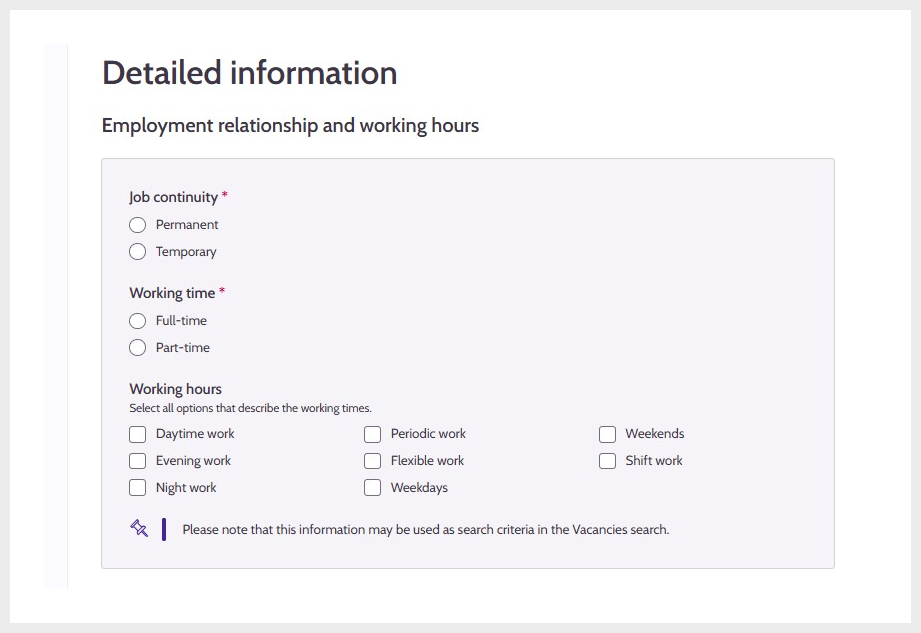
11. Employment relationship and working time
Provide additional information about salary. Selecting the basis of pay is mandatory.
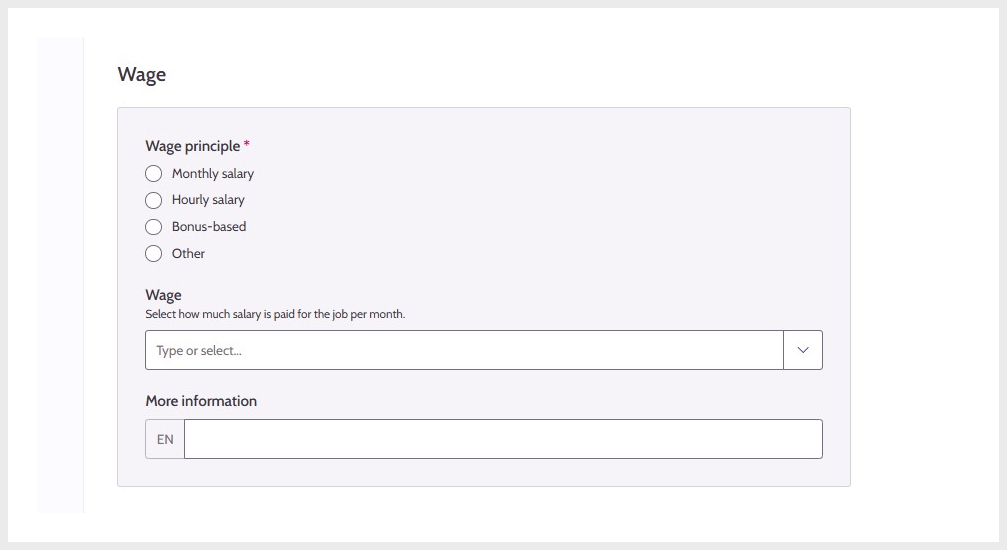
12. Salary
Select the permits and qualifications required for the job and indicate whether a criminal record extract may be required.
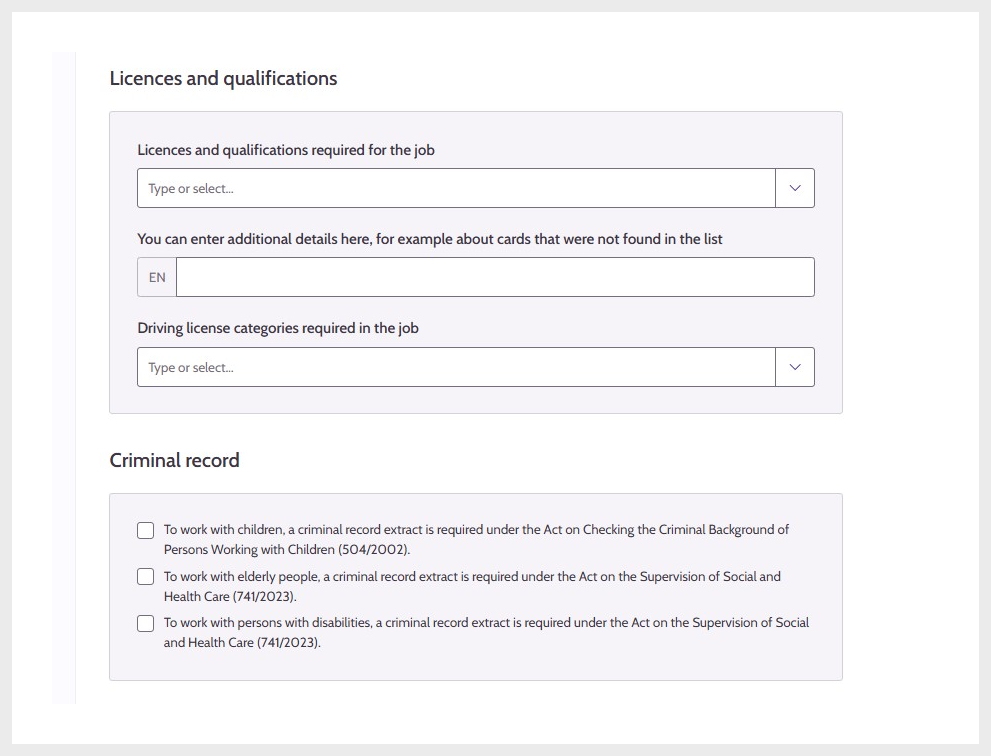
13. Permits, qualifications and criminal record extract
On the Instructions for application tab, describe how to apply for the job and select the application period as well as the visibility in international recruitment.
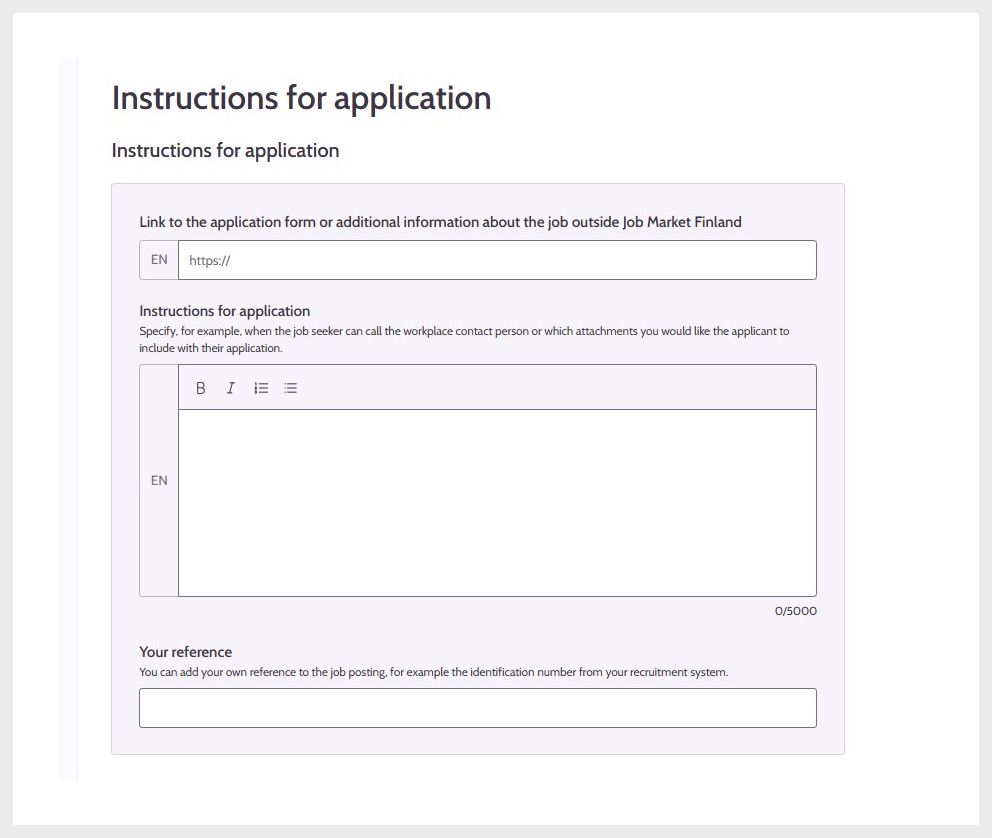
14. Application instructions and link to application form.
In addition to selecting the application period, you can also schedule the posting if you wish.
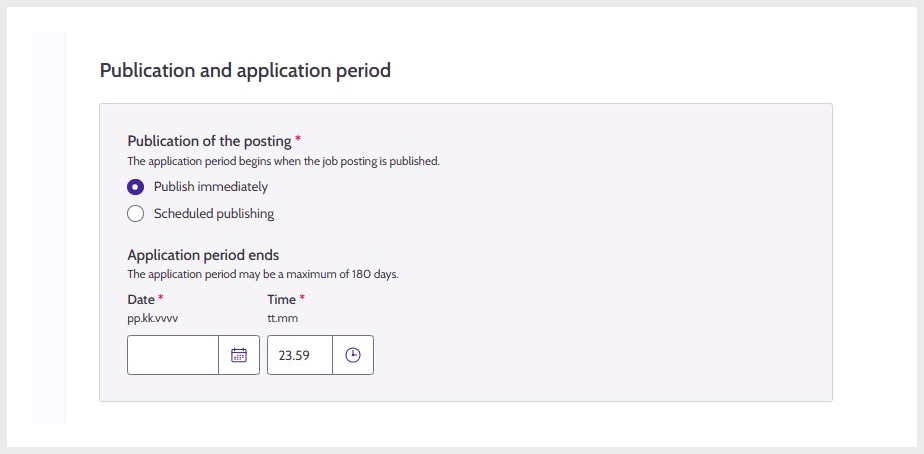
15. Publication and application period
Select the appropriate international recruitment visibility for the job posting. If you want international visibility, it is recommended to publish the posting in English and select English as the working language.
If you do not want the job to be visible in the EURES portal, you can contact your regional labour authority, which may be able to assist.
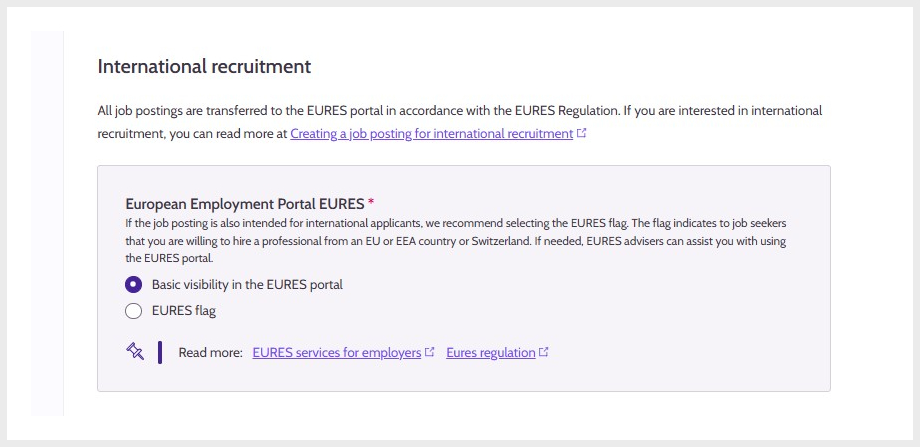
16. International recruitment
Present your company’s activities in this section. The information is automatically populated from the Company information section, if available there.
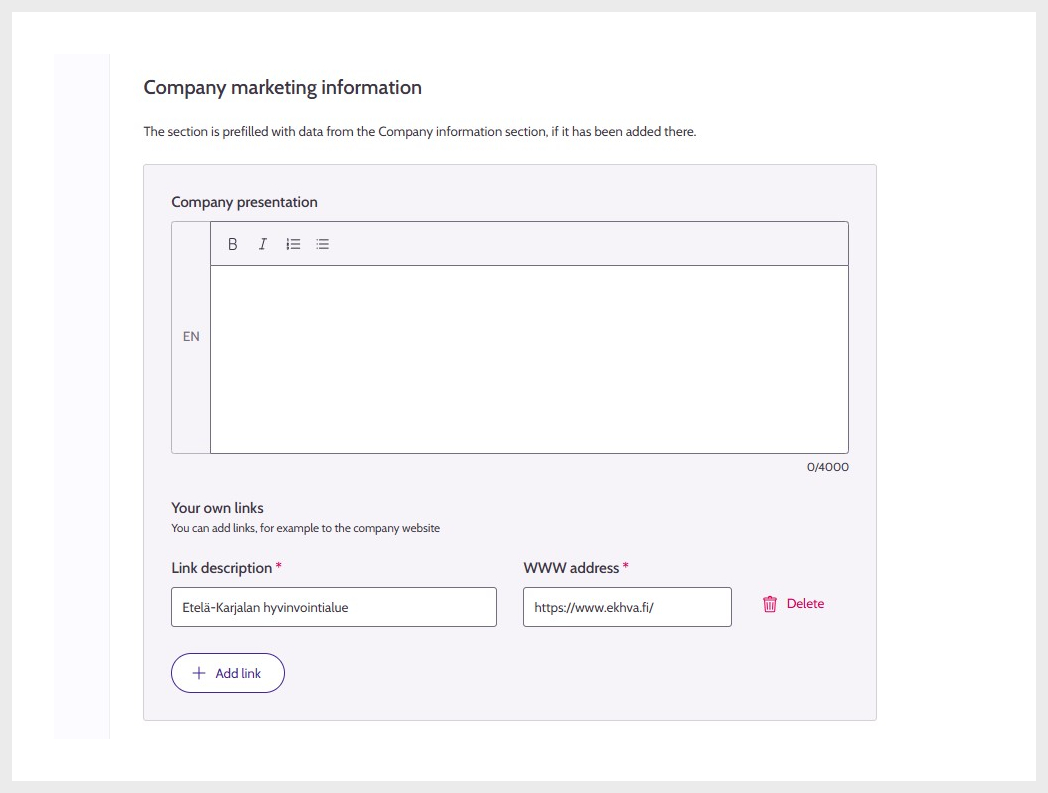
17. Company presentation information
On the Summary tab, you can review the details of the job posting. Missing mandatory information is highlighted in red.
Functions related to business activities require a person to have a specific role in the company or community. If you are not in such a role but want to use the Job Market Finland, you need Suomi.fi e-Authorizations.
Please select your situation below and check what authorisation you need. Below you can also find instructions for obtaining authorisation. Job Market Finland is not part of the authorisation process; it is a function between the authorising company and the authorised person in Suomi.fi.
Please remember that the authorisation must be removed separately if, for example, the person you have authorised changes jobs and you no longer want them to represent your organisation in Job Market Finland. You can remove the authorisation in the Suomi.fi e-Authorizations service.
You do not need separate authorisation to use Job Market Finland. You can use all the facilities of our service on behalf of your company.
If you wish, you can give another person authorisation to represent your company at the Job Market Finland. There are four different types of authorisation and they are intended for different functions - you can give a company representative full authorisation or limit a person's authority at the Job Market Finland. Authorisations are given through the Suomi.fi e-Authorizations service. You will find the instructions below.
A person entitled to sign for a company must give you authorisation to use the Job Market Finland.
The Enterprise Finland telephone service provides advice on Suomi.fi authorisation.
The International Recruitment Advice Service for Employers helps employers with questions related to the recruitment of foreign employees.
Read moreUpdated: